A few months ago, I decided to try to build my first web application. I am an English professor–I’m not a coder–but I wanted to see if I could use AI to build a SaaS product that help solve a problem I save everyday.
Like I said, I teach English, which means that I see a lot of student papers. Over the past 17 years, I have seen everything, but some problems show up more often than others. Students struggle to format their papers correctly. They struggle to get started. They struggle to articulate their ideas. Sometimes they just say the first thing that comes to mind. And that doesn’t begin to address their use of AI in writing–yet.
So, I decided to make an app that would address their needs, while also addressing my own. The answer is my new app, Acadesys.
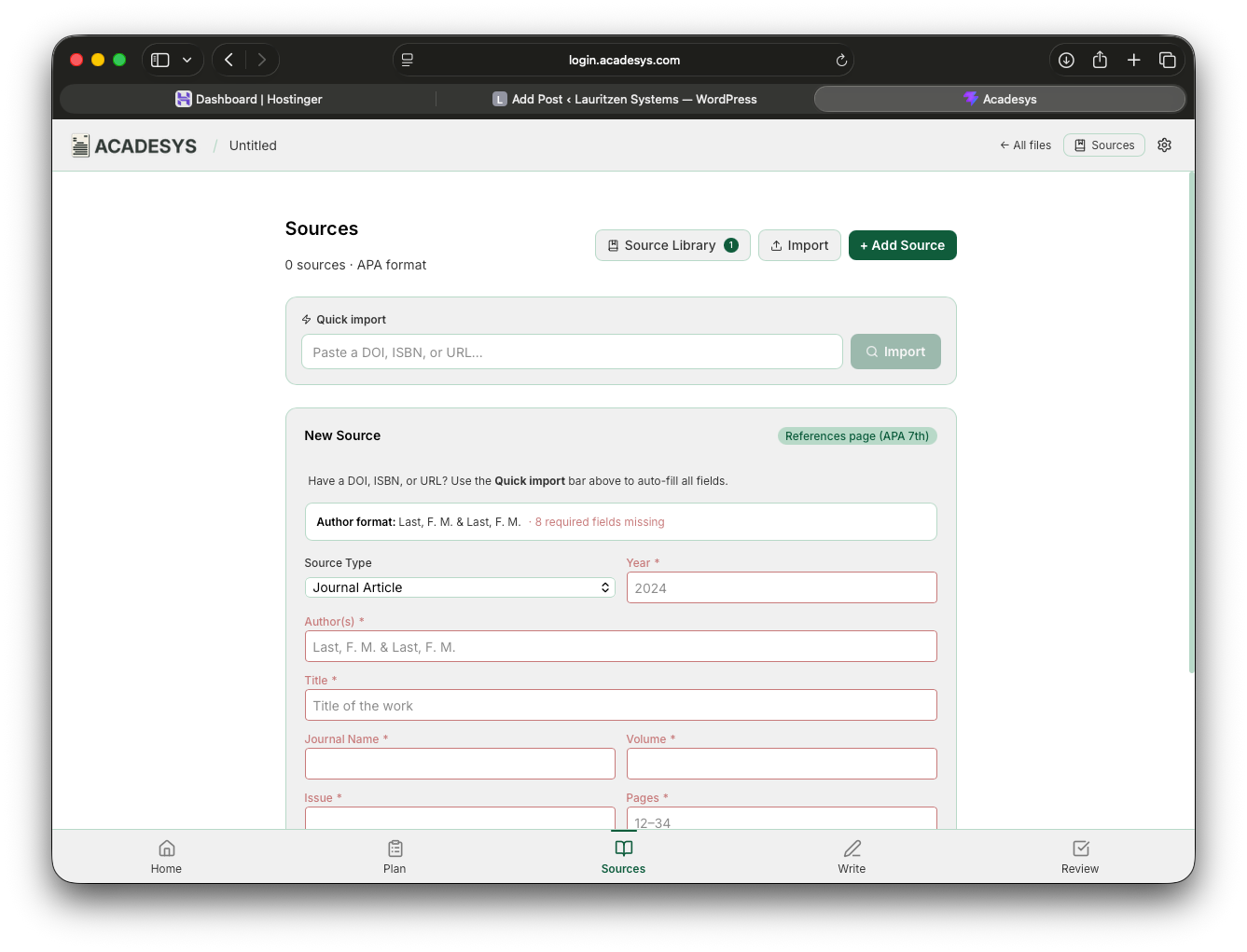
When you open up Acadesys, it should feel familiar, but it won’t feel like using Microsoft Word or Google Docs. The app is designed specifically for neurodivergent students (ADHD, Autistic, Dyslexic, etc), but it can be used by anyone. It’s designed to help students to focus without being overstimulating. Every feature is designed to help students to write academic papers. It can’t do everything–but it can do everything a student needs.
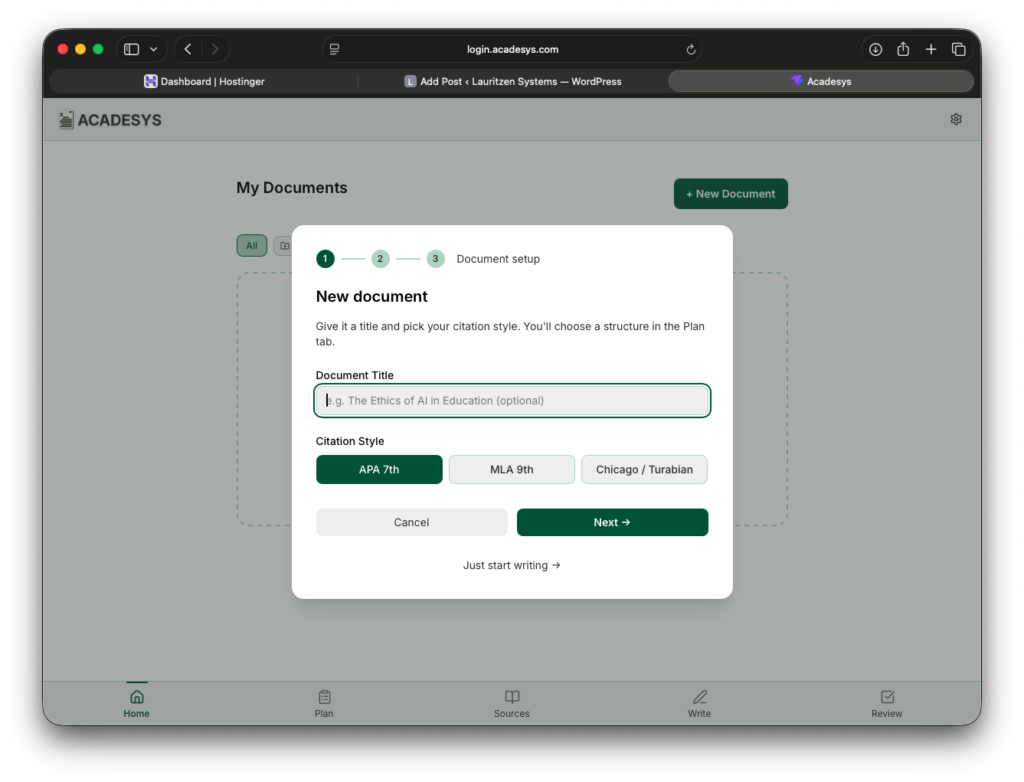
When a user creates a new document, they are prompted to give it a title and to identify the citation style. Right now, students can choose from APA, MLA, or Chicago. Once the document is created, students can switch between five screens: Home, Plan, Sources, Write, and Review. They can jump back and forth as often as needed.
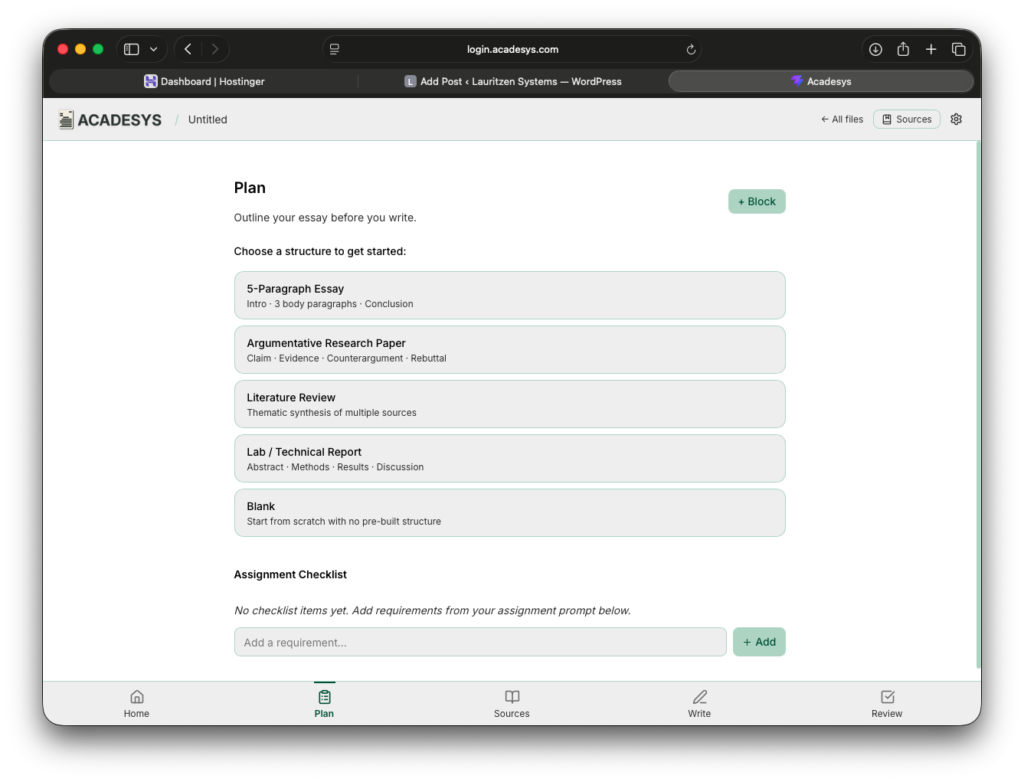
The Plan screen helps students to develop an outline and a checklist for their paper. This isn’t required, but it’s built into every single document students create–if they want to use it.
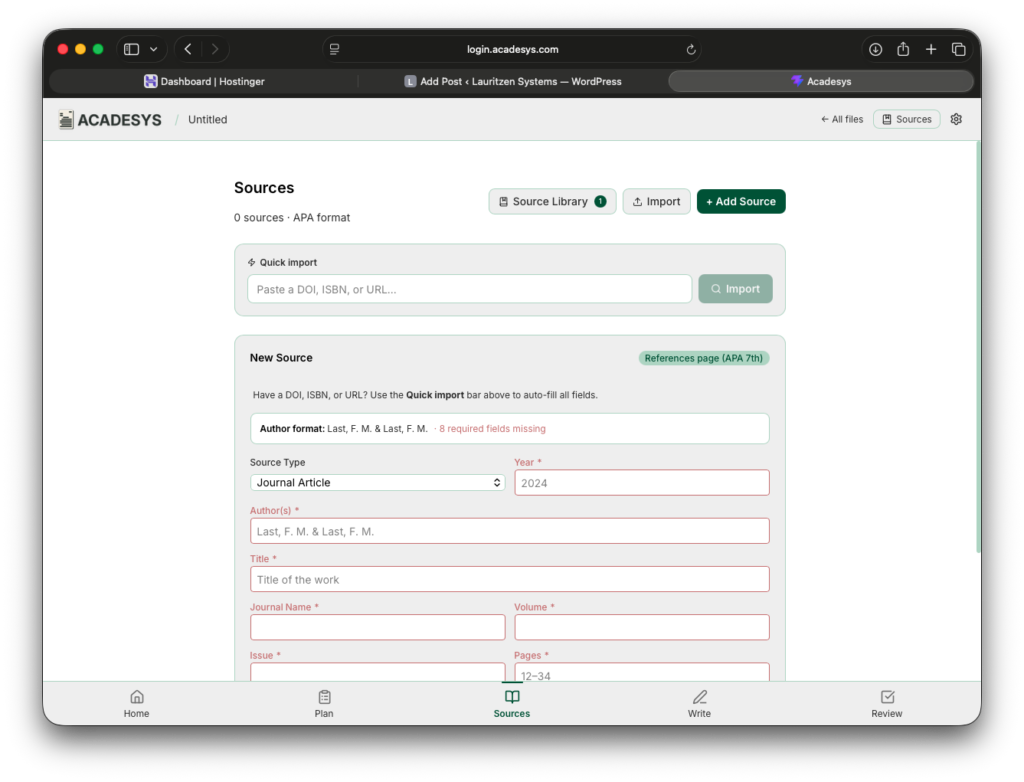
Next is the Sources screen. This is a full-featured source manager. Students can use as little as a URL or DOI to create an entire citation or they can manually type in information to add a source to their bibliography. From there, they can double check that their citation is correct by clicking “Verify.” Right inside the app, students can add annotations and quotations to use for an annotated bibliography or for use as they write. They can even save a source to their Source Library to use for future papers.
When students are ready to write, they’ll find a minimalistic screen designed to help them focus on writing and not formatting their papers. In fact, formatting is done automatically. All they have to do is write. Academic papers have very few formatting requirements, but if students need to add headings and subheadings, they can do that by clicking the drop down above each text block. If students are used to Notion, this is more like creating a note than writing a paper. If they want to add a citation, they can click the button above each text block and search for the sources they added on the Sources page. It’s a simple as they. It even formats in-text citations automatically.
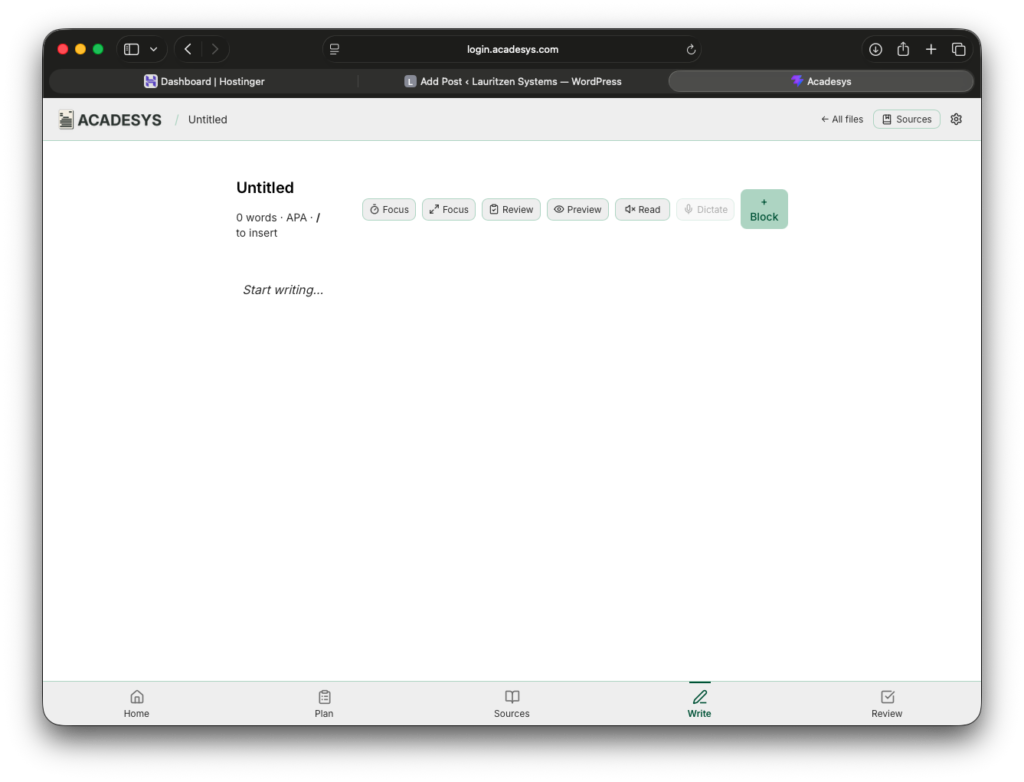
If students want to see how their paper will be formatted, they can simply click on Preview. If they want to focus, they can move to an even more minimalistic screen. They can even have their paper read to them or they can dictate their paper to their device.
When students are done writing, they can open the Review page to double check their project against their checklist and other requirements. It’s as easy as that.
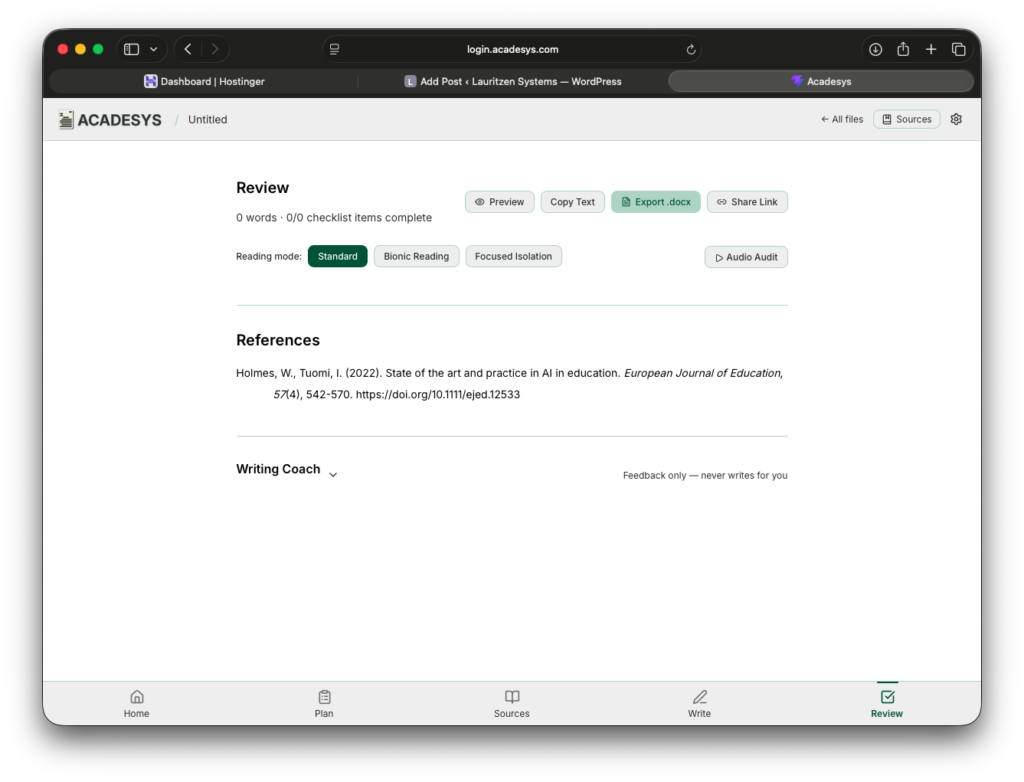
If students want even more control, they can go to the settings icon and change the font, color, spacing, and contrast of the app to adapt it to their needs.
Even though there are a few tutoring tools built in, even the AI features within the app don’t write for students. In fact, each text block tracks the provenance of the content to identify whether it was written by human or AI. It’s not perfect, but it’s a move towards transparency in academic writing. I feel that this approach will not only help neurodivergent students as they write, but this is the future of writing for everyone.
The app isn’t done yet. This is just the beginning. You can try it out for free right now at https://login.acadesys.com. If you do, please tell me what you think at jacob@lauritzensystems.com. I’d love your feedback. I want this to help as many students as possible–and maybe a few teachers too. I look forward to hearing from you!